DMV Road Test · Step-by-step guide
How to book a California DMV driving test
Book your behind-the-wheel appointment with the DMV, then reserve your Bay Cities car and instructor for that exact test.
By Bay Cities Driving School · 3 min read · Reviewed October 13, 2026
1. Book with the DMV
Reserve your official driving test appointment on the DMV website.
2. Reserve with Bay Cities
Book your car, instructor, and pickup for the same appointment.
Before you start
Have your valid instruction permit or driver’s license ready. Complete the DMV requirements for your situation before booking.
Under 18? The DMV requires you to be at least 16, hold your permit for at least six months, complete driver education and driver training, and practice for at least 50 hours, including 10 at night. Check the official requirements linked below for your eligibility and any exceptions.
Already have a DMV appointment? Use its office, date, and time to check rental availability. You do not need to book another appointment.
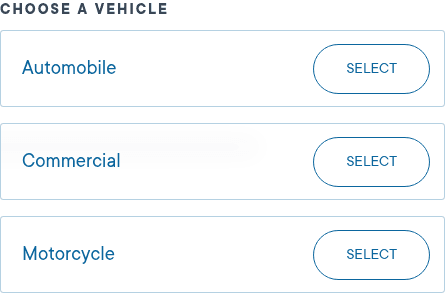
Open the DMV scheduler and choose Automobile
Open the official DMV appointment page. Find Choose a vehicle, then select Automobile. This is the behind-the-wheel drive test for a regular car.
Keep your Bay Cities results open in another tab so you can check the test details as you book.
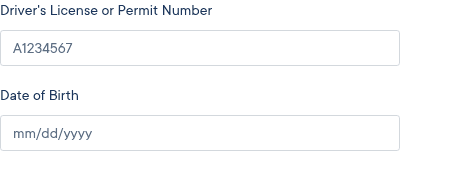
Enter your permit details on the DMV website
Enter your driver’s license or permit number and date of birth in the DMV form. Choose Make an Appointment and follow the DMV eligibility prompts.
If the DMV says you are not eligible, follow its instructions before reserving your car.
Choose the exact office, date, and test time
Find the same DMV office you selected on Bay Cities. Choose the same date and same test start time. All times on Bay Cities are Pacific.
Use the test time, not the earlier pickup time. For example, if pickup is 8:30 AM and the test is 9:00 AM, book 9:00 AM with the DMV.
If that appointment is no longer available, return to your Bay Cities results and choose another time with an available car and instructor.
Same DMV office
Same test date
Same test start time
Finish the DMV booking and save your confirmation
Follow the remaining DMV prompts until you receive an appointment confirmation. Check the office, date, and time once more. Save the confirmation number and any email or confirmation page.
Selecting a time on Bay Cities does not book a DMV appointment. You need to finish the booking on the DMV website.
Return to Bay Cities and reserve your car
Go back to your Bay Cities results. Confirm that you booked the exact office, date, and time with the DMV, then continue to choose your pickup and reserve your car.
Your DMV appointment and your Bay Cities car rental are two separate bookings. Your car is reserved only when you finish the Bay Cities booking and receive its confirmation. Availability can change while you book.
Finish your car reservation
Return to your results to finish your car rental. Keep your DMV confirmation handy so the details match.
Find a car for your driving testPrepare for test day
Bring your instruction permit or driver’s license and your appointment confirmation. Check the DMV confirmation for any other documents or arrival instructions.
The DMV requires a safe test vehicle with valid registration and proof of insurance. If you use a rental vehicle, the contract must list your name and allow behind-the-wheel tests.
Bring a California-licensed accompanying driver who is at least 18 years old, or 25 for minors, unless you are already licensed to drive. Review the DMV’s testing requirements before your appointment.
Official DMV sources
Check the DMV’s current instructions for your eligibility and appointment. Bay Cities is a driving school and does not book DMV appointments on your behalf.